PixiJS 笔记
给 stage 绑定事件
PIXI.extensions.remove(PIXI.InteractionManager);

app = new PIXI.Application({
    antialias: true,
    backgroundColor: 0xffffff,
    view: canvas,
});

const { renderer, stage } = app;

renderer.addSystem(EventSystem, "events");

stage.interactive = true;
stage.hitArea = renderer.screen;

stage.addEventListener(
    "wheel",
    (wheel_event: Event) => {
        // e.preventDefault();
    },
    { passive: false }
);
通过 Dom 坐标 映射到 PixiJS view 上
只是简单地通过当前 Dom 坐标减去 Canvas Dom 的位置, 再考虑 resolution 分辨率之后的坐标.
得到这个点的 Canvas 坐标. 这属于全局坐标.
const point = new Point();
this.viewport.options.events.mapPositionToPoint(
    point,
    event.clientX,
    event.clientY
);
return point;
Display Object 的 worldTransform 属性
当前 Display Object 的 worldTransform, 是相对于父元素的 transform.
Display Object 的 toLocal / toGlobal 函数
toLocal 用于把世界坐标系转换成局部坐标系, 可以用于判断点击的位置是否在指定物体内.
toGlobal 用于把局部坐标系的坐标转换到世界坐标系.
PixiJS transform
每一个 display object 都有一个 transform 对象.
Transform 对象中主要包含 local transform / world transform / position / scale / pivot / skew 这些信息.
本地坐标系指的是 local transform, 表示的是相对于父对象的平移, 缩放, 旋转.
世界坐标系指的是 world transform, 表示的是相对于 Canvas 的平移, 缩放, 旋转.
每当 display object 的 position / scale / pivot / skew 改变时, 都将引起本地坐标系的变化, 即 local transform 会改变.
同时, 这也将引起世界坐标系, 即 world transform, 发生改变.
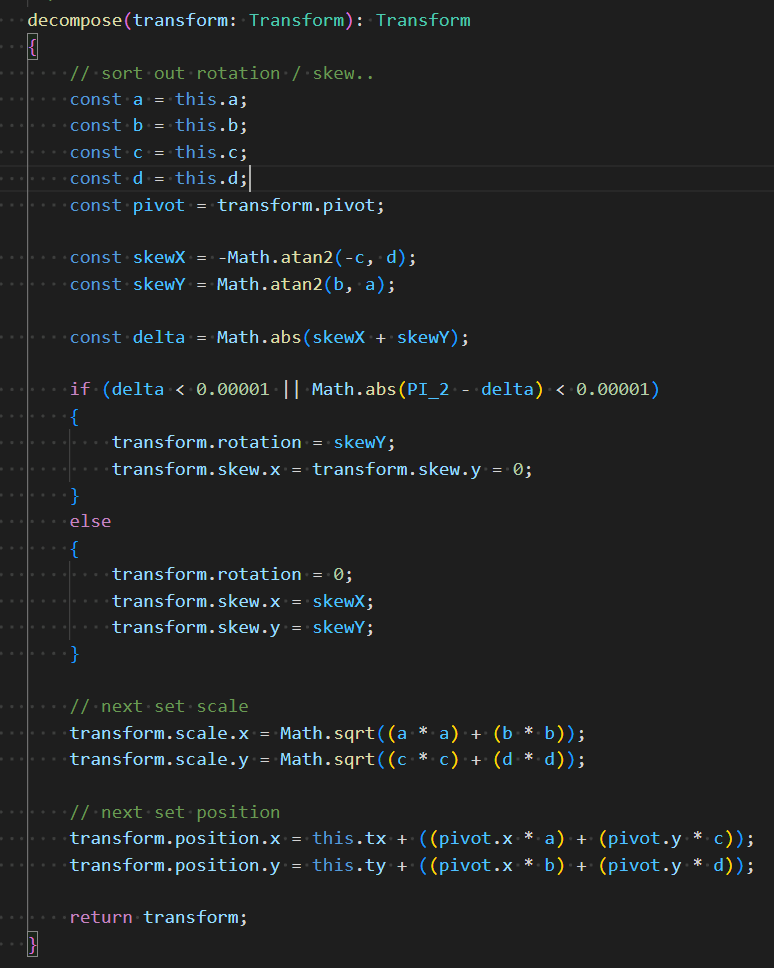
Matrix 的 decompose 函数
参考: https://zhuanlan.zhihu.com/p/367163308
应用一个 matrix 到当前的 transform 上, 就是把矩阵中的变换转换成 skew / rotation / scale / position.
但是原来的 transform 的 pivot 会保持不变.
使用点 [pivot.x, pivot.y] 应用该矩阵就得到了 position.